

Last updated:
Your voice is your channel’s fingerprint — and cloning it no longer has to start with an ElevenLabs subscription. MiniMax’s audio platform (the tool many creators know as Hailuo AI Audio) can clone a voice from a sample of about 10 seconds, and it has offered free web credits that cover cloning. In this guide: the steps to clone your own voice without paying, how to make the clone sound real instead of robotic, how the free option honestly compares with ElevenLabs — and the consent rules you must follow, because cloning a voice you don’t own is where creators get into real trouble.
Quick answer
Go to minimax.io/audio, sign in, open Voice Clone, upload or record a clean 10–60 second clip of your own voice, name the clone, and generate a short preview. Then open Text to Speech, pick your clone from your own voices, paste your script (up to 10,000 characters at a time), adjust speed and pitch, generate and download the audio. Total time: about five minutes. Free allowances change often, so check what your account includes when you sign up. Only ever clone your own voice, or a voice you have written permission to use.
What you need before you start
- A short, clean recording of your voice. 10 seconds is the minimum; 30–60 seconds gives the model more of your tone to learn from. A phone voice note is fine — you do not need a studio microphone.
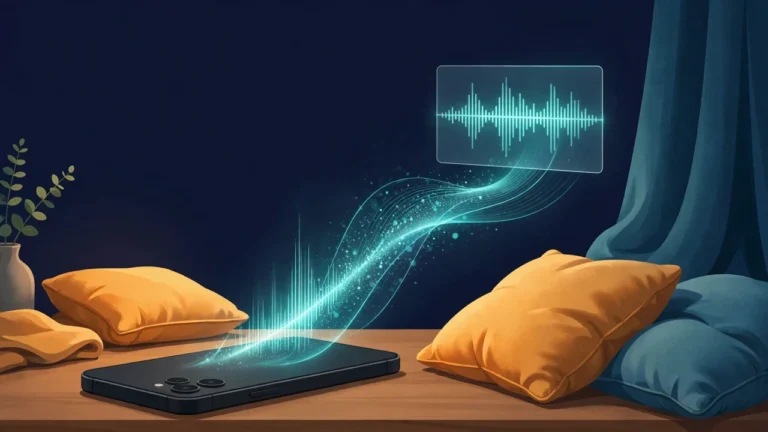
- A quiet room. The clone copies what it hears: record in a soft room (curtains, cushions, even a parked car) and the clone sounds close and clean; record in an echoey kitchen and every generated line will sound like a kitchen.
- Natural delivery. Speak the way you want the clone to speak — energy, pace and warmth in the sample become the clone’s default personality.
- The right to the voice. Yours, or documented permission. More on this below — it is not fine print, it is the whole ballgame.
How to clone your voice free with MiniMax Audio (Hailuo), step by step
These steps follow MiniMax Audio’s web interface as documented in the Hong Kong Metropolitan University’s MiniMax Audio guide. Menu names can shift when MiniMax updates the site.
- Sign in. Open minimax.io/audio in your browser and sign in (Google sign-in is offered). Check the pricing page to see what the free tier currently includes before you rely on it.
- Open Voice Clone from the left-hand menu.
- Add your sample. Upload an audio file or record 10–60 seconds directly in the browser. MP3 or WAV both work.
- Name your clone (for example, “My narration voice”) so you can find it later in your library.
- Test it. Type a short line (up to 300 characters) into the preview box and click Generate. Listen: does it sound like you on a good day? If it sounds flat or echoey, re-record a cleaner sample rather than generating more text — the sample is the ceiling on quality.
- Narrate your script. Open Text to Speech, paste your text (up to 10,000 characters per generation), open the voice picker and select your clone from your own voices. Adjust speed, pitch and volume, click Generate, then download the audio from the player. To see how long a script will run before you generate it, paste it into our free Script Length Calculator — it counts words and characters and estimates the narration time.
The same platform offers 300+ stock voices in 40+ languages if you ever need a different narrator. But the clone is the point: a faceless channel with your voice keeps the one thing templates can’t copy — a recognisable identity. (Why that matters for monetization now: see our breakdown of YouTube’s 2027 faceless rules.)
5 tips that make a clone sound like you, not a robot
- Record at your “video energy”. Most people record a flat sample, then wonder why the clone sounds bored. Perform the sample the way you perform on camera.
- Kill the echo first. Soft furnishings beat any setting. If your recording has room echo, no slider will remove it later.
- Use punctuation as direction. Commas, full stops and question marks shape pacing and intonation in the output. Write scripts the way people talk, not the way essays read — our script length guide covers the word counts.
- Generate in short chunks. A paragraph at a time keeps emphasis natural and makes re-dos cheap when one line lands wrong.
- Say names and numbers out loud once. Test tricky words in the preview before a long generation; add a phonetic spelling in the text if the clone trips on your channel name or a price.
Free Hailuo cloning vs ElevenLabs: the honest comparison
| MiniMax Audio (Hailuo) | ElevenLabs | |
|---|---|---|
| Voice cloning price | Possible on free web credits; the free allowance changes, so check at sign-up | Paid feature: Instant Voice Cloning starts on the $6/month Starter plan |
| Sample needed | ~10 seconds (10–60s recommended) | Instant cloning from a short sample; professional cloning wants 30+ minutes |
| Commercial use | Free-tier commercial terms were not clearly published when we checked (October 2026) — read MiniMax’s terms before monetizing | Free plan has no commercial license; Starter is the first tier that includes one |
| Voices and languages | 300+ stock voices, 40+ languages | Large voice library; flagship Eleven v4 (Sep 2026) supports 90+ languages, according to ElevenLabs |
| Best for | Creators who want to try cloning their own voice without paying | Channels that need top-tier expression and a clear commercial license |
ElevenLabs prices checked October 2026. Our full ElevenLabs vs Murf comparison breaks down per-minute costs for finished videos, and our AI tools for YouTubers guide shows where a voice tool fits in the rest of a creator workflow. The short version: Hailuo wins on price, ElevenLabs wins on polish and clearly documented licensing. Plenty of creators prototype with a free clone and move to a paid licence when a channel starts earning — a sensible order of operations.
One more route, for the technical: open-source local tools (OpenVoice, XTTS-based apps) can clone voices on your own computer for $0. Read their licences first — several are non-commercial only — and expect a real setup process.
The rules: whose voice can you clone?
This is the section that keeps your channel alive, so read it like it matters:
- Your own voice: always fine. A collaborator’s voice: only with their clear, written permission.
- Celebrities, politicians, other creators: no. Cloning a famous voice to narrate your video is impersonation, whatever the tool allows technically. It risks platform strikes, takedowns, and in a growing number of places, the law — and “the tool let me” is not a defence.
- Platforms ask you to confirm rights. Voice tools increasingly require an attestation (or a spoken verification phrase) that the voice is yours to clone. Faking that confirmation is a terms-of-service violation on its own.
- Know when YouTube wants the AI label. YouTube asks creators to disclose realistic altered or synthetic content with the altered-content setting in YouTube Studio. Its Help Center lists cloning someone else’s voice to create voiceovers or dubs as something to disclose, and puts cloning your own voice for voiceovers or dubs among the examples that don’t need it. (YouTube’s 2024 announcement was broader, listing “synthetically generating a person’s voice to narrate a video”.) If you’re unsure, disclosing is the safe choice: YouTube says the label doesn’t limit a video’s audience or its eligibility to earn money, while repeatedly failing to disclose when required can lead to penalties, including suspension from the YouTube Partner Program. To check a specific video, use our free YouTube AI label checker.
- Check commercial terms before you monetize a free clone. “Free to generate” and “free to earn from” are different promises; when a tool doesn’t publish its free-tier commercial terms clearly, treat that as a question to answer before the video goes public, not after.
FAQ
Is AI voice cloning really free?
It can be. MiniMax Audio (Hailuo) has offered free web credits that cover cloning from a ~10-second sample plus text-to-speech, but its free allowances have changed during 2026, so check what your account gets at sign-up. ElevenLabs keeps cloning on paid plans, starting at $6/month. With any free tier, check the commercial-use terms before earning money from the audio.
How much audio do I need to clone my voice?
About 10 seconds is the minimum on MiniMax Audio; 30–60 seconds of clean, quiet, naturally delivered speech gives a noticeably better clone. ElevenLabs’ instant cloning also works from short samples, while its professional cloning asks for 30 minutes or more.
Can I clone someone else’s voice if I give credit?
No. Credit is not consent. Clone only your own voice or a voice you have written permission to use. Cloning celebrities, politicians or other creators without permission is impersonation and can bring takedowns, strikes and legal trouble.
Will a cloned voice hurt my YouTube monetization?
Not by itself. YouTube’s monetization rules don’t ban AI voices; what its inauthentic-content policy targets is mass-produced or templated content with little variation between videos. A channel with original scripts and your own (cloned) voice is the kind of faceless format the policy allows. On the AI label: YouTube lists a clone of your own voice among the examples that don’t need disclosure (a clone of someone else’s voice does), and it says disclosing doesn’t affect a video’s eligibility to earn money anyway.
Why does my clone sound flat or robotic?
Almost always the sample: flat delivery, room echo or background noise gets baked into every line. Re-record 30–60 seconds in a soft, quiet room at your normal video energy, generate in short chunks, and use punctuation to steer pacing.
Sources and method: written 25 October 2026; updated 31 October 2026 to make the YouTube disclosure guidance more precise, clarify MiniMax’s free-tier terms and add ElevenLabs’ current plans. The cloning steps follow MiniMax Audio’s web interface as described in the Hong Kong Metropolitan University’s guide and tech-now.io’s MiniMax Audio guide. ElevenLabs details come from its pricing page and Eleven v4 announcement; YouTube rules from YouTube Help and YouTube’s 2024 disclosure announcement. This article was inspired by Ai Edit Pro’s free voice-cloning tutorial; our version covers cloning your own voice only, with consent rules included. ToolsVentory articles are research-based — we have not tested these tools hands-on, and free-tier terms change often: confirm on the vendor’s site before relying on them.