


Last updated:
Intro
AI tools can take over the repetitive parts of running a YouTube channel — brainstorming, transcription, captions, rough edits — so you spend more time on the creative work that actually grows an audience. This guide walks through every category that matters, with honest limits for each, so you can build a workflow that fits your channel.
Before you pay for anything, check two free options. YouTube Studio now has AI features of its own (YouTube announced several of them in its Made on YouTube 2025 Studio update), and we flag them as Free first in the sections below. Our own free YouTube creator tools also cover descriptions, tags, chapters and title checks, with no sign-up.
How this guide was researched: ToolsVentory does not test these tools hands-on. The picks below are editorial opinion based on each vendor’s documentation, YouTube’s official help pages and published reviews, not our own measurements. YouTube Studio feature details are as of October 2026, and availability can vary by channel and country.
Why YouTubers Use AI Tools
A single video can eat hours across research, scripting, recording, editing, thumbnails, titles, and promotion. AI doesn’t remove that work, but it compresses the repetitive parts: generating ideas, drafting scripts, transcribing audio, cutting silences, and repurposing long videos into Shorts. The creators who benefit most treat AI as an assistant, not an autopilot — the idea, the judgment, and the final call stay human.
1. AI Tools for Video Ideas
Running out of ideas kills more channels than bad editing ever will. AI brainstorming tools generate topics from your niche, audience, and existing videos — series concepts, tutorial angles, comparison formats, Shorts ideas, and questions your audience actually searches for.
The more context you give, the better the output. “Generate 20 video ideas for a beginner tech channel about AI tools” beats “give me YouTube ideas” every time.
Honest limit: AI recycles what already exists. If your whole niche asks the same tool the same question, everyone gets similar ideas. Your angle still has to be yours.
Free first: YouTube Studio’s Inspiration tab suggests video ideas, titles and outlines based on your channel, and Ask Studio, its built-in assistant, can answer questions about your channel’s performance and comments.
Our pick: ChatGPT — a quick way to turn one topic into twenty video angles. Our research-based ChatGPT vs Claude comparison rates it the stronger of the two for outlines, hooks and titles.
2. AI Script Writing Tools
A good script can take hours; AI writing assistants produce a workable first draft — hook, structure, explanations — in minutes. They’re strongest at variations: generate five openings, keep the best line from each.
The hook matters most. Viewers decide in seconds, so test openings that make a specific promise rather than “welcome back to my channel.”
Honest limit: AI drafts sound competent and forgettable. Without your stories, opinions, and examples added in, the script could belong to anyone. AI also tends to overwrite, so check the draft against your target runtime: our guide to how long a YouTube script should be gives word counts for each video length.
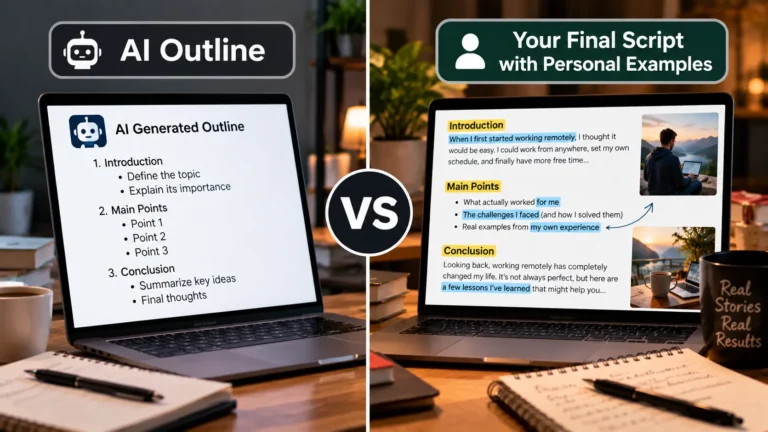
Our pick: Claude — published reviews and side-by-side tests usually rate it the more natural writer of read-aloud scripts, while ChatGPT is the better planner. Our research-based ChatGPT vs Claude for YouTube scripts comparison covers both.
3. AI Video Generators
Text-to-video and image-to-video tools can produce B-roll, backgrounds, animations, explainer visuals, and concept footage — useful when the real footage doesn’t exist or would cost too much to film. A space channel can illustrate a black hole without a telescope.
Honest limit: Generated footage still looks generated up close, and fully AI-assembled videos struggle with retention. Use it to illustrate your story, not to replace having one. Also check each tool’s commercial license before publishing.
Free first: For Shorts, YouTube has built a version of Google’s Veo video model into its own creation tools. YouTube labels videos made with its own AI tools as AI-generated automatically.
Our pick: Runway — a full AI video suite rather than a single generator, based on its documented features. Start on the free plan and check whether its style fits your channel before paying.
4. AI Video Editing Tools
This is often where AI saves the most time: auto captions, silence removal, noise reduction, transcript-based editing (cut the text, cut the video), reframing for vertical, and clip-finding for Shorts. For talking-head videos and podcasts, transcript editing alone can cut editing time dramatically.
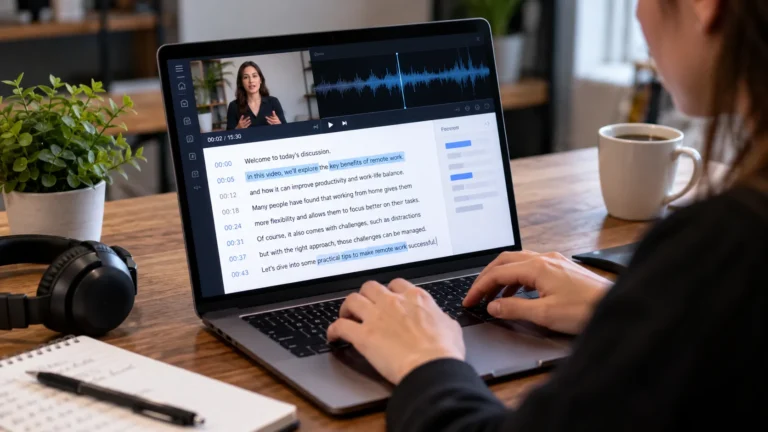
Honest limit: Auto-edits make mistakes — cutting a pause that was actually dramatic timing, or mis-transcribing a key term. Always watch the final cut before upload.
Our pick: Descript — you edit the video by editing its transcript, which suits talking-head videos and podcasts especially well.
5. AI Thumbnail Generators
AI image tools are great for thumbnail concepts: backgrounds, characters, mockups, and rapid variations. But the best thumbnails stay simple — one strong visual, a few big words, readable at tiny sizes. “10 AI TOOLS” with a clear face beats a paragraph crammed into 1280 pixels.
Honest limit: AI loves clutter. It will happily generate a busy, over-detailed image that fails the two-second glance test. You still need to art-direct: simplify, enlarge, contrast. For a deeper look at the two leading image generators, see our Leonardo AI vs Midjourney comparison.
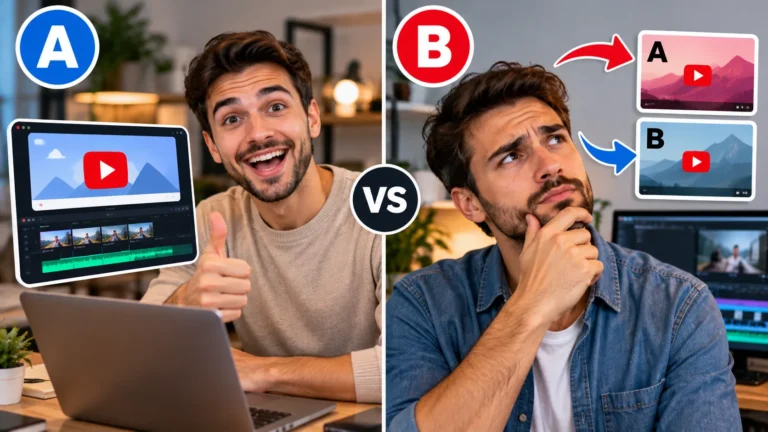
Free first: YouTube Studio’s Test & Compare lets you test up to three thumbnails (or titles) on a video with real viewers. When the test ends, YouTube shows everyone the version with the highest watch time.
Our pick: Ideogram — reviewers consistently rate it among the best at readable text inside images, which is what thumbnail lettering needs (see our research-based Leonardo vs Ideogram comparison). Before you upload, check how the thumbnail reads at small sizes and against YouTube’s specs with our free YouTube Title & Thumbnail Preview tool.
6. AI Voice Generators
AI voiceovers power faceless channels, explainers, documentaries, tutorials, and multilingual versions of the same video. Quality has improved enormously — but licensing varies wildly between providers, so confirm commercial and YouTube-monetization rights in the tool’s current terms before you build a channel on one voice.
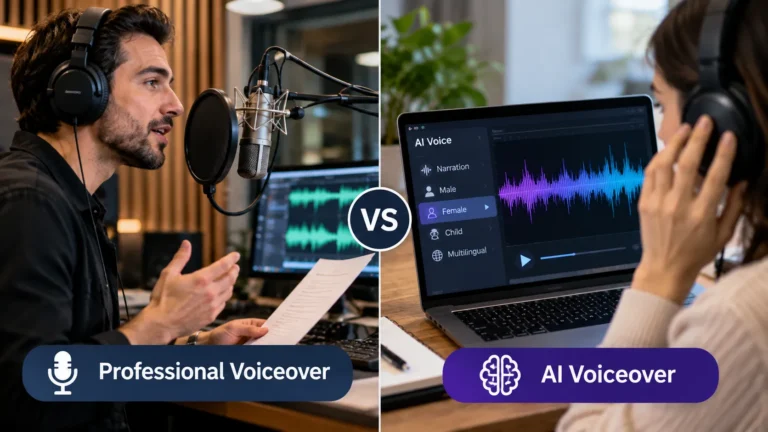
Honest limit: AI narration still flattens emotion. Story-driven or personality-driven channels usually perform better with a real voice — even an imperfect one. If you want narration in your own voice without recording every take, our guide to cloning your voice for free covers the steps and the disclosure question it raises.
Free first: To reach viewers in other languages, try YouTube’s own auto-dubbing, which YouTube opened to all creators in February 2026, before paying for a dubbing tool.
Our pick: ElevenLabs — the voice-quality benchmark. Murf is the simpler, cheaper option for studio-style narration; our ElevenLabs vs Murf comparison breaks down both.
7. AI Tools for YouTube Shorts
Repurposing is one of the most time-efficient uses of AI for many creators: feed a 20-minute video in, get candidate Shorts out — interesting moments detected, captions burned in, reframed to vertical, pauses removed. One recording session becomes a week of short-form content.
If you are in the YouTube Partner Program, plan around the new Shorts rule: from February 2027, Shorts revenue for each month needs 10 million engaged views in a 90-day window. Our free Shorts 10M window checker shows the exact dates and the views a day you need.
Honest limit: Auto-cut clips often miss context — a punchline without its setup flops. Review every clip as a standalone video before posting.
Our pick: Opus Clip — it finds the strongest moments in a long video and turns them into captioned Shorts automatically.
8. AI Tools for Titles
AI is a solid title brainstorming partner: feed it your topic, get 20 variations, then pick the one that’s both clickable and accurate. Never publish a title you wouldn’t defend — misleading clickbait trades one click today for lost trust forever.
Honest limit: AI-generated titles converge on the same formulas (“You Won’t Believe…”, “The Ultimate Guide…”). If everyone’s titles look identical, yours won’t stand out either.
Our pick: brainstorm with ChatGPT, then paste your best three into our free YouTube Title & Thumbnail Preview tool to see roughly where each gets cut off on mobile and desktop. After you publish, YouTube Studio’s Test & Compare can run up to three titles against each other with real viewers. The length rules are in our guide: How Long Should a YouTube Title Be?
9. AI Tools for Descriptions
Descriptions are repetitive work AI handles well: intro paragraph, key points, timestamps, links, and calls to action from your transcript or script. Generate the draft, then fix the details AI gets wrong — links, names, and anything time-sensitive.
Honest limit: AI invents plausible-looking links and timestamps. Verify every URL and timecode by hand.
Our pick: our free YouTube Description Builder — it assembles your opening summary, chapters, links, call to action and hashtags into a ready-to-paste description, and warns you if the chapter list breaks YouTube’s chapter rules.
10. AI Subtitle and Caption Tools
Auto-transcription saves hours and improves accessibility plus silent viewing. The better tools identify speakers, translate, and style captions for Shorts. For high-volume creators, this is one of the least controversial AI wins available.
Honest limit: Technical terms, brand names, and accents still trip up transcription. Budget a proofreading pass, especially on monetized content.
Our pick: YouTube Studio’s built-in captions on the video itself — then run the transcript through our free Transcript Cleaner when you reuse it as a description or blog post.
11. AI Tools for Faceless Channels
The classic faceless pipeline — topic, research, script, AI voice, stock/AI visuals, edit, captions, thumbnail, upload — is now executable almost entirely with AI assistance. It works, but the bar has risen: fully automated channels compete against each other with interchangeable content.
Honest limit: “Faceless” can’t mean “personality-less.” The channels that survive add a point of view — curation, commentary, storytelling, or genuinely useful synthesis. Monetization depends on it too: YouTube’s monetization policies exclude “inauthentic” content, meaning mass-produced or templated videos with little variation. Our breakdown of the 2027 faceless monetization rules explains what that means for an AI-assisted channel.
Our pick: ElevenLabs for the voice plus Leonardo for the visuals — the stack most faceless channels start with. Both are compared in depth on this site: ElevenLabs vs Murf and Leonardo AI vs Midjourney.
12. AI Tools for YouTube SEO
AI helps with keyword brainstorming, search-intent analysis, title/description drafts, topic clusters, and competitor research. The key skill isn’t stuffing keywords — it’s matching intent. “Best AI tools for students” wants a list; “how to use AI for studying” wants a tutorial. Build for the intent behind the query. For the research step itself, our Perplexity vs ChatGPT for research comparison breaks down which assistant fits that job.
Honest limit: AI keyword tools guess at demand; only your own YouTube Analytics data, such as the search terms in its traffic-source reports, shows what your audience actually searches. Treat AI suggestions as hypotheses, not data.
Our pick: our free YouTube Tag Generator turns your title into a tag set that fits YouTube’s 500-character limit. It’s rule-based and reuses your own words rather than researching keywords, so pair it with ChatGPT for keyword brainstorming.
How to Build an AI-Powered YouTube Workflow
You don’t need a dozen subscriptions. A simple loop works:
- Topic — research your audience; find a real question or problem.
- Research — let AI organize findings, but verify factual claims against reliable sources.
- Script — AI outline and first draft, then add your examples, opinions, and stories.
- Record — your voice, or a licensed AI voice if the format calls for it.
- Edit — AI for silences, captions, and rough cuts; you for pacing and judgment.
- Thumbnail — AI for concepts and assets; you for the final two-second test.
- Optimize — title and description that promise exactly what the video delivers.
- Repurpose — turn the long video into Shorts, posts, and articles.
How Much Time Can AI Actually Save?
It depends on the channel, but the pattern is consistent: AI compresses mechanical work, not creative decisions. Captions, transcription, and silence removal can drop from hours of manual work to minutes; scripting, thumbnails, and Shorts still need your time — just less of it, because you start from a draft instead of a blank page.
Rough planning estimates for one 10-minute video. These are not measured timings, and your numbers will depend on your footage, tools and experience:
| Task | Traditional | With AI help |
|---|---|---|
| Brainstorming | 30–60 min of manual research | 10–15 min with AI-assisted ideas |
| Script outline | 1–2 hours, manual | 20–30 min from an AI draft |
| Transcription | 45–60 min by hand | Under 5 min, automated |
| Captions | 30–45 min by hand | 5–10 min, automated plus a quick check |
| Silence removal | 20–40 min by hand | About 1 min, one click |
| Thumbnail concepts | 30–60 min | 10–15 min with AI help |
| Shorts from long video | 30–45 min per Short, by hand | 5–10 min per Short |
The goal isn’t removing yourself from the process — it’s removing the repetitive parts so your limited creative energy goes where it counts.
Are AI Tools Worth It for YouTubers?
Yes — if you buy them for a specific bottleneck. Don’t subscribe to everything at once. Start where it hurts: ideas, scripting, editing, thumbnails, or Shorts. The best tool isn’t the one with the most features; it’s the one that removes your biggest weekly time-sink. And before committing to any paid plan, check whether the free AI features in YouTube Studio, flagged as Free first above, already cover the job.
Before You Publish AI-Assisted Videos: 4 Checks
- Don’t publish unedited AI output. It contains errors, repetition, and generic filler. Review everything.
- Verify facts. For educational, financial, technical, medical, or news content, check important claims against trustworthy sources — AI confidently states false things.
- Check commercial rights. Before using AI images, music, voices, or video clips commercially, read the tool’s current licensing terms. “Free to generate” is not the same as “free to monetize.”
- Disclose realistic synthetic content. YouTube requires creators to disclose realistic content that is AI-generated or meaningfully altered (set “AI use” to Yes in the Attributes section when you upload in YouTube Studio). Production help such as scripts, ideas, titles, thumbnails and captions doesn’t need disclosure. Voices need more care: YouTube’s help page lists cloning someone else’s voice for a voiceover as something to disclose, and its 2024 disclosure announcement gives “synthetically generating a person’s voice to narrate a video” as an example. If a realistic AI voice narrates your video, including a clone of your own, and you’re not sure whether it counts, disclose: YouTube says the label doesn’t limit a video’s audience or its eligibility to earn money, and repeatedly skipping a required disclosure can lead to penalties. Read the official GenAI disclosure guidance before you upload.
Frequently Asked Questions
What are the best AI tools for YouTubers?
It depends on your bottleneck — scripting, editing, voiceovers, thumbnails, captions, or SEO. Start with the category that eats most of your week, not the category with the most hype.
Can AI create a full YouTube video?
AI can assist with scripts, visuals, voiceovers, editing, and captions, but a fully automated video still needs human review for accuracy, quality, and originality before publishing.
Do I have to disclose AI content on YouTube?
Yes, when the content is realistic and AI-generated or meaningfully altered, meaning something a viewer could mistake for real footage, a real event or a real person. Production help like scripts, ideas, titles, thumbnails and captions doesn’t require disclosure. Voices need care: a clone of someone else’s voice needs disclosure, and if a realistic AI voice narrates your video, even a clone of your own, and you’re unsure whether it counts, disclosing is the safe choice. YouTube says the label doesn’t affect monetization. See YouTube’s official guidance linked above. Not sure about a specific video? Our free YouTube AI label checker walks through YouTube’s own examples.
Can AI make YouTube thumbnails?
Yes — for concepts, backgrounds, and assets — but keep the final design simple and readable at small sizes. One strong visual beats a cluttered one.
Can AI grow my YouTube channel?
AI speeds up research, scripting, editing, and repurposing, which lets you publish more consistently. But growth still comes from content quality, audience fit, retention, and consistency — AI can’t supply those.
Key Takeaway
AI won’t make a channel successful on its own. But the right tools, aimed at your actual bottlenecks and supervised with human judgment, buy back the hours that used to disappear into repetitive work — hours you can spend making videos people actually want to watch.