


Last updated:
Every YouTuber using AI hits the same wall. The script looks fine on screen — then you read it aloud and hear it: the stiff transitions, the “in conclusion” energy, the sentences no human would ever say into a microphone. Your viewers hear it too, and they click away.
Many creators blame their prompting. Prompting matters, but so does which model you use. ChatGPT and Claude are both $20 a month, both capable, and they tend to fail at scriptwriting in opposite ways.
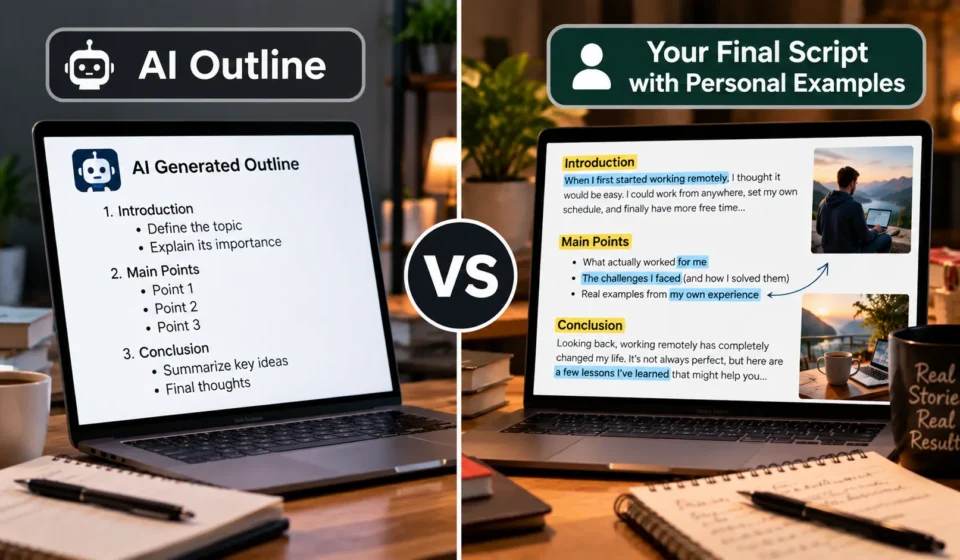
For YouTube scripts, Claude writes better and ChatGPT plans better. Claude produces more natural, conversational dialogue with fewer robotic tics, while ChatGPT is faster at outlines, hooks, and titles. Both cost $20/month. Best workflow: plan with ChatGPT, write with Claude.
Below: the pricing, the four rounds that decide it, the exact prompt framework that fixes either model’s weaknesses — and a $20-a-month setup that uses each tool where it’s strongest. The split is clean enough to plan around: one tool plans the video, the other writes it.
The 30-second verdict
| Round | Winner | Why it matters for your channel |
|---|---|---|
| Script prose & dialogue | Claude | More natural read-aloud flow; fewer AI tics over an 8-minute narration |
| Outlines, hooks & titles | ChatGPT | Faster ideation, better structured output, respects format constraints |
| Workflow features | Tie | Different strengths: Canvas vs Artifacts, memory vs Projects |
| Free tier | ChatGPT | Uncapped basic text chat |
Bottom line: ChatGPT is the better video planner. Claude is the better scriptwriter. If you only pay for one and your bottleneck is the script itself, pay for Claude.
Pricing: both cost $20 — the details differ
Price won’t decide this one. Here’s the October 2026 lineup, verified against both vendors’ pricing pages:
| Plan | ChatGPT | Claude |
|---|---|---|
| Free | $0 — unlimited basic text chats, capped flagship access | $0 — everyday chat with per-session usage limits |
| Budget tier | Go, $8/mo — higher limits than Free | None |
| Standard paid | Plus, $20/mo | Pro, $20/mo (or $200/yr ≈ $17/mo) |
| Power tier | Pro, $100–$500/mo | Max, $100–$200/mo |
Two things worth knowing. First, Claude is the only one of the two with an annual discount for individuals — $200 upfront drops Pro to about $17 a month. Second, ChatGPT’s free tier got dramatically better with uncapped basic text chat, which makes it the stronger free option for casual scripting.
Plans and prices change often, so check the official ChatGPT pricing page and the official Claude pricing page for the latest details before you buy.
How we compared (an honest note)
A single afternoon of prompting doesn’t settle a model debate — the models update constantly, and one cherry-picked output proves nothing. So instead of pretending we ran one definitive test, we did the next most honest thing: we compared documented capabilities and current pricing from both vendors, then cross-checked against published side-by-side testing. This is a research-based comparison, not a hands-on test of our own.
We compared the published reviews and video tests we could find, and most point the same way: Claude is usually rated the stronger writer, ChatGPT the faster planner. Treat that as a tendency, not a law. Both companies ship new models every few months and each release can shift the balance, so run the read-aloud test below on your own topic before you pay.
Round 1: Script prose and dialogue — Claude wins
This is the round that decides the article, so let’s not bury it.
Read a ChatGPT script draft aloud and you may hear the tics reviewers most often complain about: the triple-parallel structure (“it’s not just X, it’s Y”), the motivational-poster transitions, the sentences that scan fine silently but land dead when spoken. Over a 90-second Short, you can edit around it. Over an eight-minute narration (see how long a YouTube script should be for word counts), those tics compound until the whole video feels synthetic — and synthetic-feeling narration is a retention killer.
Claude’s first drafts are more often described as sounding like a person talking: more varied sentences, transitions that feel less templated. That is the most common conclusion in the published side-by-side comparisons we read: Claude’s first drafts tend to need fewer edits, hold tone across long pieces, and produce fewer of the phrases viewers have learned to associate with AI slop.
One pattern matters for long-form channels: the gap tends to grow with script length. For a 60-second Short script, the two are close enough that workflow matters more. For a 10-minute deep dive, reviewers favour Claude more clearly — ChatGPT’s structural habits get more audible the longer the narration runs, while Claude tends to hold a consistent voice across sections.
Winner: Claude, and it’s the most important round.
Round 2: Outlines, hooks, titles, and speed — ChatGPT wins
Give ChatGPT this: it is fast at structure.
Ask for 20 title options, a three-act outline, five hook variations, and a description with timestamps, and ChatGPT typically returns all of it quickly and neatly formatted. Published comparisons generally credit it with following character limits and format constraints more reliably than Claude, which can run long or drift off the requested structure. Whichever model writes them, check the output before you publish: paste your top three titles into our free YouTube title and thumbnail preview to see roughly where each gets cut off on mobile and desktop, and build the description in the YouTube description builder, which checks your timestamps against YouTube’s chapter rules.
For the planning phase of a video — topic research, angle brainstorming, title ideation, outline building — ChatGPT’s speed and format discipline are genuinely better. ChatGPT tends to produce a large batch of ideas quickly, while Claude tends to take longer but with a higher hit rate. When your workflow is “generate a lot, pick the best,” speed wins.
ChatGPT also generates images directly in the chat, which Claude doesn’t. For a YouTuber, that means thumbnail concepts and title brainstorming can happen in the same window as the script plan — a small thing that removes real friction.
Winner: ChatGPT, clearly.
Round 3: Workflow features — tie
Both tools have grown a full workshop around the chat box, and they solve different problems:
- ChatGPT: Custom GPTs, Canvas (side-by-side document editing), memory across conversations, and Deep Research plus an AI agent mode on Plus. If your channel runs on repeatable formats, a custom GPT trained on your style guide is a real asset.
- Claude: Projects (persistent knowledge per series or channel), Artifacts (clean side-panel documents you can iterate on), and a long-context reputation that makes it the better tool for feeding in a 40-page research doc and asking for a script.
For script work specifically, Claude’s Projects feature deserves a callout: park your channel’s style guide, past scripts, and audience notes in a Project, and every new script inherits your voice without re-prompting. That’s the closest thing either tool has to a “channel brain.”
Winner: tie — pick by workflow, not by hype.
Round 4: Free tier — ChatGPT wins
If you’re testing the waters before paying, ChatGPT’s free tier is now the stronger starting point thanks to the change uncapping basic text chats. You can outline, brainstorm, and draft on free without hitting a wall every few messages.
Claude’s free tier is fine for light use but throttles per session, which gets annoying exactly when you’re in a scripting flow. For trying Claude’s writing quality before committing, it’s enough — for daily publishing, it isn’t.
Winner: ChatGPT.
The $20-a-month split workflow
Here’s a setup that plays to each tool’s strengths: pay for one, keep the other open in a free tab, and route each task to whichever handles it best.
In practice that looks like this:
- Plan in ChatGPT (free tier works): titles, hooks, outline, thumbnail concepts, description.
- Write in Claude (this is the $20): paste the outline, get the script draft with natural dialogue.
- Check length with our free YouTube script length calculator — AI scripts routinely run long or short of your target runtime.
- Voice it with an AI voice tool — see our ElevenLabs vs Murf comparison for that half of the stack.
Total cost: $20 a month. You get ChatGPT’s planning speed and Claude’s writing quality instead of compromising on one subscription.
The prompt framework that fixes either model
Whichever model you use, most bad AI scripts come from the same mistake: asking for “a YouTube script about X” and accepting whatever comes back. Here’s a brief structure that targets the usual failures. To skip the typing, our free AI Prompt Generator builds the core of it for you: choose “Write a YouTube script”, set the video length (it becomes a word target), then add the rules below under Extra requirements.
- Format first: “Write a [length]-minute script for [niche] viewers. Conversational spoken tone — write for the ear, not the eye.”
- Ban the tics: “No triple-parallel structures, no ‘in conclusion,’ no motivational-poster transitions. Vary sentence length.”
- Retention engineering: “Open with a 15-second hook that states the payoff. Re-hook every 90 seconds with an open loop.”
- Voice match: “Match this sample:” + paste 200 words of your own past script. It is the most direct way to pull the draft toward your own voice.
- The read-aloud test: read the draft out loud before recording. If you stumble, your viewers will too. Rewrite any sentence you can’t say naturally in one breath.
That last one matters most. Silent reading forgives everything; your mouth doesn’t. The read-aloud pass costs nothing and catches what a silent edit misses. For the full AI-assisted YouTube workflow, see our AI tools for YouTubers guide.
Final verdict: who should pick which
| Pick Claude if… | Pick ChatGPT if… |
|---|---|
| The script is the product (essay videos, commentary, storytelling) | You need the full pipeline: research → script → titles → thumbnails |
| You publish long-form (8+ minutes) where voice consistency matters | You batch-produce Shorts and need speed + format discipline |
| You want the best first draft with the fewest edits | You want the strongest free tier before committing |
| You run a repeatable format (Projects = your channel brain) | You want images, voice mode, and agents in one subscription |
The one-line version: ChatGPT plans the video; Claude writes the words. Start free on both, pay for the one that matches your bottleneck — and if your bottleneck is the script itself, that’s Claude.
Frequently asked questions
Which is better for YouTube scripts, ChatGPT or Claude?
Claude is better for writing the actual script — its dialogue sounds more natural with fewer robotic tics, especially over longer narrations. ChatGPT is better for planning: outlines, hooks, titles, and descriptions. A practical split is using ChatGPT to plan the video and Claude to write the words.
Is Claude better than ChatGPT for writing?
For long-form and natural-sounding prose, most of the published reviews and video tests we compared pick Claude over ChatGPT. ChatGPT wins for structured, formatted, and short-form work. New model releases can change this, so test both free tiers on your own topic.
Can I use ChatGPT and Claude together for YouTube?
Yes, and it’s a cost-effective setup: pay $20/month for one (usually Claude, for the script writing) and use the other’s free tier for the rest. Plan titles, hooks, and outlines in ChatGPT’s free tier, then write the script in Claude Pro. You get both strengths for a single subscription.
Which is cheaper, ChatGPT Plus or Claude Pro?
Both cost $20/month at the standard tier. Claude Pro has an annual option at $200 upfront (about $17/month); ChatGPT has no individual annual plan but offers a cheaper $8/month Go tier. Both have free tiers — ChatGPT’s is currently more generous after its unlimited basic chat change.
Do I need a paid plan to write YouTube scripts with AI?
No. Both free tiers can produce usable scripts, and ChatGPT’s free tier is quite capable. Free plans and limits change often — check the current plan pages. Pay when you’re publishing daily and hitting usage limits, or when you want the flagship models’ better writing quality. Test both free tiers first — the right choice depends on your bottleneck.


